Business Phone Systems

A cloud phone system for your business.

Conexa designs, configures and tests your business VoIP system. Give customers one number to call, then route them to the right team using extensions, department menus and schedules for each location.

Example phone system layout

Main business number

Customer calls

“Thanks for calling. Press 1 for sales or 2 for service.”

  • 1

    Sales

    Ext. 201 and 202 ring together

  • 2

    Service

    Ext. 203 · Billing desk

  • 0

    No answer

    Team voicemail or the AI receptionist

After hours: own greeting Multilingual answering
Included in every setup

What we set up

Your main business number
We help set up the number customers dial. If you already advertise a number, we review how to keep it connected with your current carrier.
Staff and department extensions
An extension is a short internal number, such as 201 for reception. We assign extensions so employees can call each other directly and pass a customer to the right desk.
Greetings and phone menus
We set up the greeting callers hear and the choices that follow, such as “Press 1 for sales or 2 for service.” If you prefer a person to answer first, we can ring reception directly.
Shared lines, hours and voicemail
We group phones by team and set the hours for each location. You choose whose phones ring, how long they ring and which mailbox or backup team receives an unanswered call.
Call routing

Where should the call go?

  1. During business hours

    1

    Ring your team first

    For example, a customer calls your main number and presses 1 for sales. The sales team’s phones ring together. The person who answers can transfer the call to extension 203 for billing.

  2. When everyone is busy

    2

    Give unanswered calls a destination

    Agree on how long staff phones should ring. Then forward unanswered calls to the department’s voicemail or add the AI receptionist to handle the conversation.

  3. After closing

    3

    Set a route for each location

    A clinic can send evening calls to voicemail while a restaurant sends late pickup inquiries to its receptionist. Each location follows its own hours.

Plan your move to cloud VoIP

We’ll review your current setup and help you decide what to keep, what to add and how to switch.

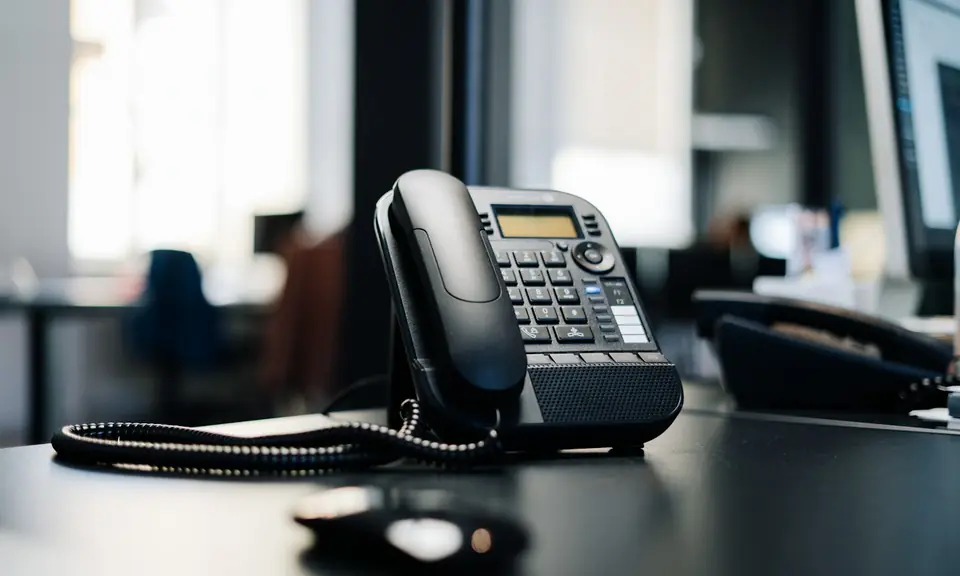
A VoIP desk phone in an office workstation
Phone numbers
Start with a new business number or ask us to review your current number for porting or forwarding. We’ll identify which numbers you need for each location or department.
Phones and internet
Tell us what your team uses today. We’ll check your existing desk phone models, discuss where a phone app might fit, and review the internet connection at each site.
Call flow
Decide which phones ring together, what to do when nobody answers and how each location handles after-hours calls.

Painless installation

We handle the setup and guide your team through the change. You’ll know what’s being installed, what your staff need to do and when your number will switch.

  1. 1

    Design your setup

    We review your locations, devices and numbers, then agree on which phones ring and how calls are routed.

  2. 2

    Configure and prepare

    Conexa sets up compatible phones, extensions, greetings and voicemail.

  3. 3

    Try it with your team

    We show your staff how to answer and transfer calls and check voicemail. You can test the new setup before switching your public line.

  4. 4

    Switch when you’re ready

    Once you approve the setup, we coordinate the switch and verify that incoming calls reach the right place.

E911 emergency calling

We set up E911 during installation, starting with one phone number and its registered service address. We review the requirements that apply to your system under Kari’s Law and RAY BAUM’S Act, including direct 911 dialing, notifications and the location information sent to emergency responders.

How Kari’s Law and E911 work

Phone number porting assistance

If you want to keep your business number, we check whether it can be transferred, help you prepare the authorization and account details, and coordinate the switch with the providers. Keep your current service active until we confirm the transfer and test incoming calls on your new system.

Phone system questions

What does a Cloud PBX do?

A Cloud PBX manages business calls online. It lets callers reach departments through one business number, while staff can call each other by extension and transfer calls between locations.

What information do you need for a quote?

Start with the number of locations, staff, phone numbers and devices you need. Tell us about your current provider and call volume so we can review equipment, setup and ongoing service for your business.

Can I get the phone system on its own?

Yes. Business Phone Systems is a standalone service. If you add the AI Receptionist, you can send it selected calls when your team is busy or after closing.

Request a phone system quote

Business phone systems in South Texas